Track fasting in Carnivor
Carnivor’s fasting timer records when a fast starts, how long it lasts, and how it compares with the goal you selected. It gives your routine a record without turning elapsed time into a medical measurement.
Choose a goal
Open Fasting from Today and select a duration before starting. Presets are 12, 14, 16, 18, 20, and 24 hours. A custom duration is a Pro feature. These are timer options, not recommendations about how long you should fast.
Choose the goal that reflects your intended routine. You can change an active fast’s goal through Edit goal without restarting the recorded fast.
Start and follow the timer
- Open the fasting screen and tap Start fasting.
- Choose your goal and confirm the start. Check the recorded start time.
- Use the ring to follow elapsed time and progress toward the goal.
- If your plan changes, use Edit goal. Your fast keeps its original start rather than beginning again.
The goal end time is calculated from the start and selected duration. Reaching that time marks goal progress; it does not stop the fast for you. Stop the timer when the fast actually ends so the record reflects your routine.
Understand the fasting stage labels
The app changes its stage label based only on elapsed time: Getting started in the first hour, Fasting from 1 to under 12 hours, Fat burning from 12 to under 18, Ketosis from 18 to under 24, and Extended fast from 24 hours onward.
Finish and save a fast
- Tap Stop fasting when you finish.
- Review the confirmation and choose whether to stop or keep fasting.
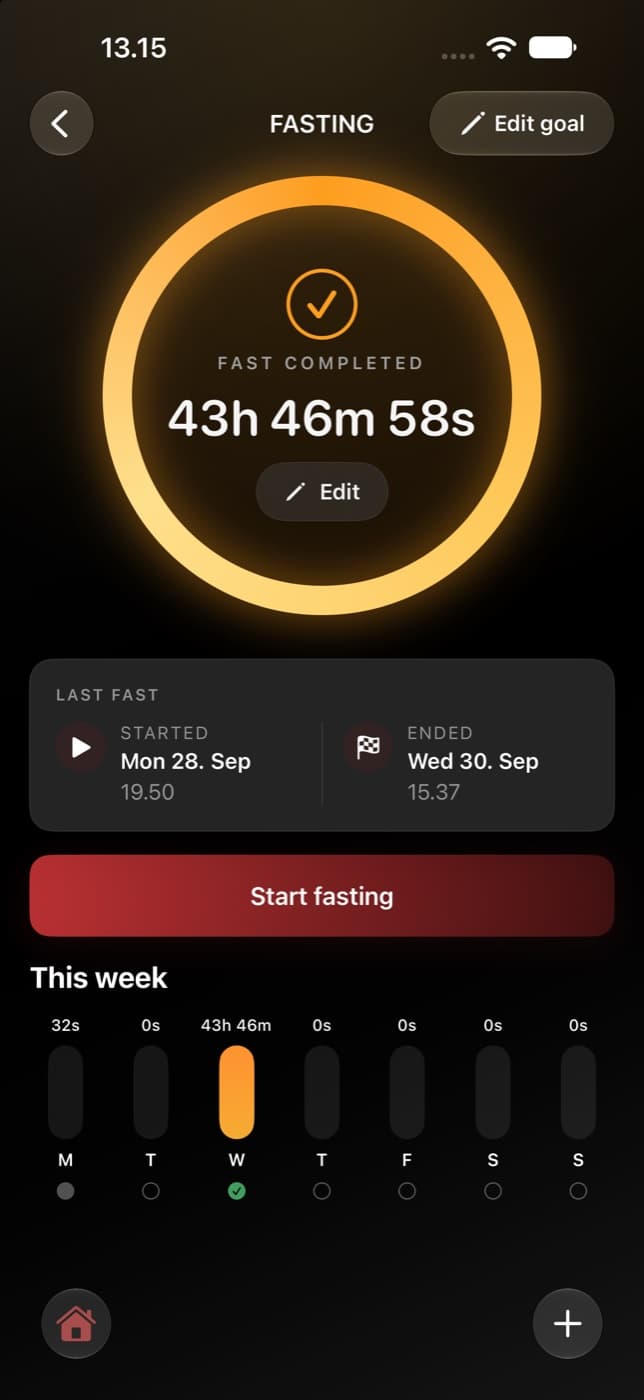
- After saving, check the completed duration and recorded start and end dates.
A completed session is saved even if you stopped before the goal. Finishing a recorded session and reaching its goal are different facts. Logging a meal during an active fast can also bring up a confirmation about ending the fast; read that choice before saving.
Read your history
The fasting screen shows your week so you can see recorded sessions in context. Historical Insights summarizes completed sessions, their durations, and goal completion where a valid goal was recorded.
An active timer is not yet a completed session. Historical fasting summaries group completed sessions by their completion day in your timezone. A long fast can therefore appear on the day it ended rather than being split into one completed fast for every day it crossed.